
The running head and title page are two of the most recognisable components of APA-style formatting.
While APA 7th Edition simplified these elements, especially for student papers, many learners still struggle with understanding when a running head is required and how to format it correctly.
A running head, also called a page header, is an abbreviated form of the title of your document. It is written in the page header along with a page number. The running head serves as a quick identifier for readers, editors, and reviewers.
Generally, it is used only for professional papers, not for student papers. However, sometimes, an instructor may specifically ask for one.
The running head usually consists of a shortened version consisting of 50 characters of the title of the document. All the characters should be in capital letters. It should be left-aligned, while the page number is right-aligned.
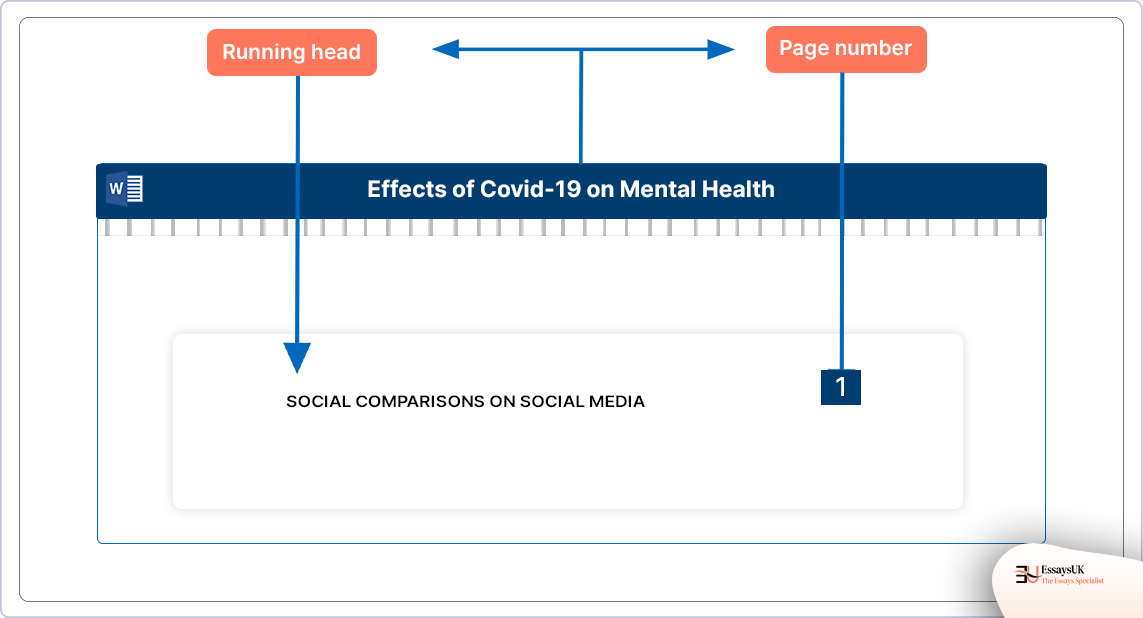
Example of a running head:
Here are the simple steps that you can take to set up a running head in MS Word:
Click on “Insert” and select “Header”. Select the “Blank” header template (left-aligned).
Put your “Running Head” paper title all in capital letters. Click OK. Leave it left-aligned.
Click on “Insert” and then “Page number”. Select “Top of Page”, then “Right Alignment”. Word will automatically insert page numbers on all pages.
Ensure the first page contains the running head exactly as required for professional papers. For student papers, include page numbers only.
Here are the steps that you can take to set up a running head in Docs:
First, click on “Insert”, select “Headers and footers”, and select “Header”.
Type your running head in capital letters.
To insert automatic page numbering, click on “Insert” and select “Page numbers”.Click on page numbers in the top-right corner for all the pages. Ensure the running head remains left-aligned and the page number stays right-aligned.
If the title of your paper is more than 50 characters, you must use its abbreviated form.
Here are the guidelines for abbreviating long titles:
EXAMPLE
Full title:
What do people learn about human psychology? An analysis from the psychology book.
Running head:
PEOPLE LEARNING ABOUT HUMAN PSYCHOLOGY
This shortened version preserves meaning while meeting APA’s character limit.
APA formatting differs depending on whether the paper is a student assignment or a professional manuscript. Here are some guidelines for creating an APA 7th Edition title page:
APA 7th Edition has significantly simplified and made student formatting more flexible. Here is what a student’s title page includes:
When formatting this title page, centre all elements, use double spacing, use APA-approved fonts, type the title in bold, and use title case.
EXAMPLE
Title of the Paper
Your name
University name
Course Number and Course Name
Instructor Name
Due Date
Professional papers require more details. This is what a professional title page includes:
This format is required for journal submissions or conference publications.
Create a separate first page that includes the paper title, your name, institutional affiliation, course details (for student paper), instructor name, and due date. Centre and double-space all elements.
No. APA 7th Edition states that running heads are not required for student papers unless an instructor specifically requests one.
Keep the main idea, remove unnecessary words, and ensure it’s under 50 characters. Use all caps and avoid abbreviations unless widely recognised.
In the top-right corner, starting with page 1. This applies to both student and professional papers.
Yes, but only for professional papers. It appears on every page, left-aligned, with the page number on the right.
You May Also Like